I’m building an assessment to help marketers and business owners assess how automated their workflows are. On completion, the assessment will provide a grade for 3 main categories.
- Automation maturity
- Integration maturity
- Reporting visibility
Following on from the evaluation, I’ll then send them emails targeted on where they are the weakest. And if they score low in one of the categories, they’ll get emails about that category.
At first glance, it seems like one automation can handle all these emails from start to finish, with branching logic for each category.
But there is a different way, which is to keep it modular. This allows the email sequences to be reusable.
Let’s take a look at each option in more detail.
Option 1: One automation with branches for each category
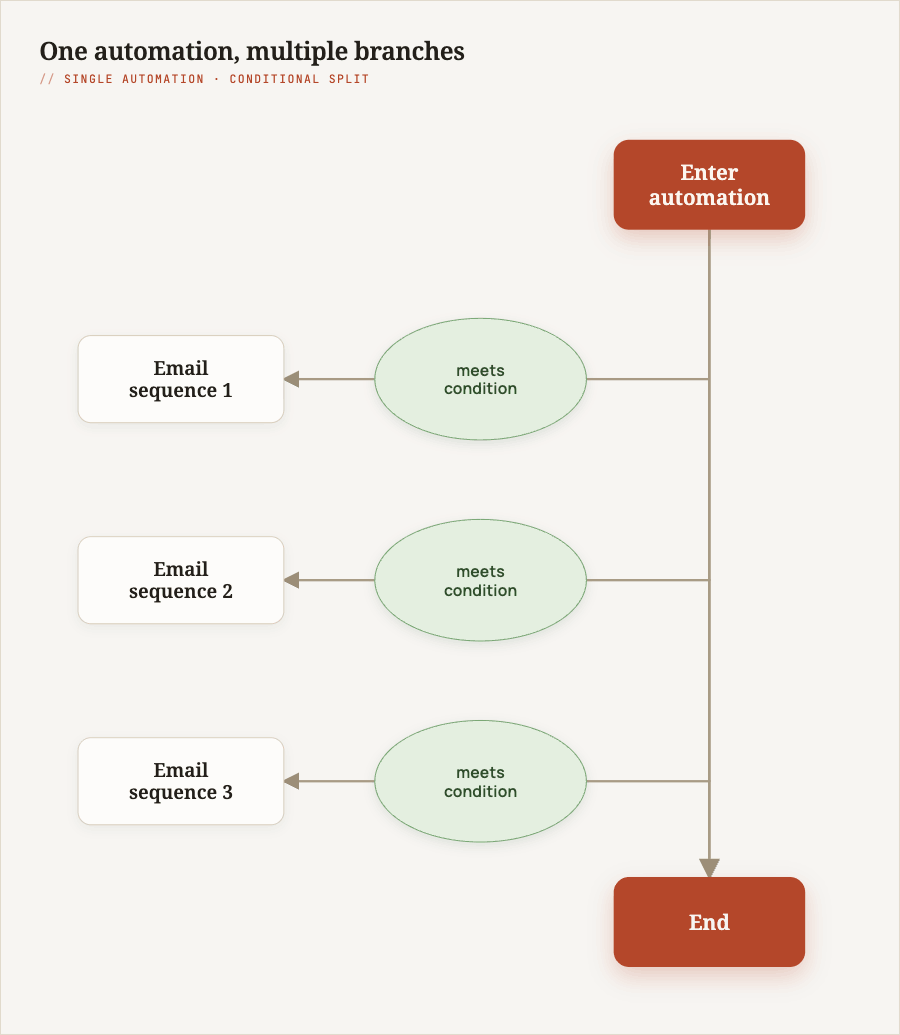
One way to do it is to build one automation for the whole thing, everything related to the assessment, and then include branches for each category.
- The trigger is that they have completed the assessment.
- Then there is a branch for the first section: integration maturity. That branch checks their score. If they score low, it goes down to a branch with all the integration emails to help them understand how they can integrate better.
- Then it moves to the next branch and checks their score for automation maturity. If they score low, it drops down to a branch with emails to help them automate more of their processes.
- And the same idea applies to reporting, with an extra branch.
In the end, you have one automation with lots of branches, and all the emails are contained within that automation.
The advantage is that it is easy to find everything, because it is all contained in one automation.
The disadvantage is that the automation can become pretty unwieldy and cumbersome. It is also more difficult to modularise. Say I had an article that was just about system integration. I want to send people the emails from the integration branch, but what do I do if they haven’t done the assessment yet. Or say they have read an article, and it might have a call to action that includes a lead magnet. Potentially I could use those emails as the follow-up to that lead magnet, but in reality I can’t, because it is all part of the big automation.
Option 2: One parent automation, with separate child automations per category
Another way is to still have one automation for the assessment, but put the emails for each category into their own automation. In this setup I would have three sub-automations: integration emails, automation emails, and reporting emails.
The emails themselves live in the child automation, and the parent automation just passes people across to the right child automation. If someone has a low grade for integration, they go into the integration automation and receive those emails.
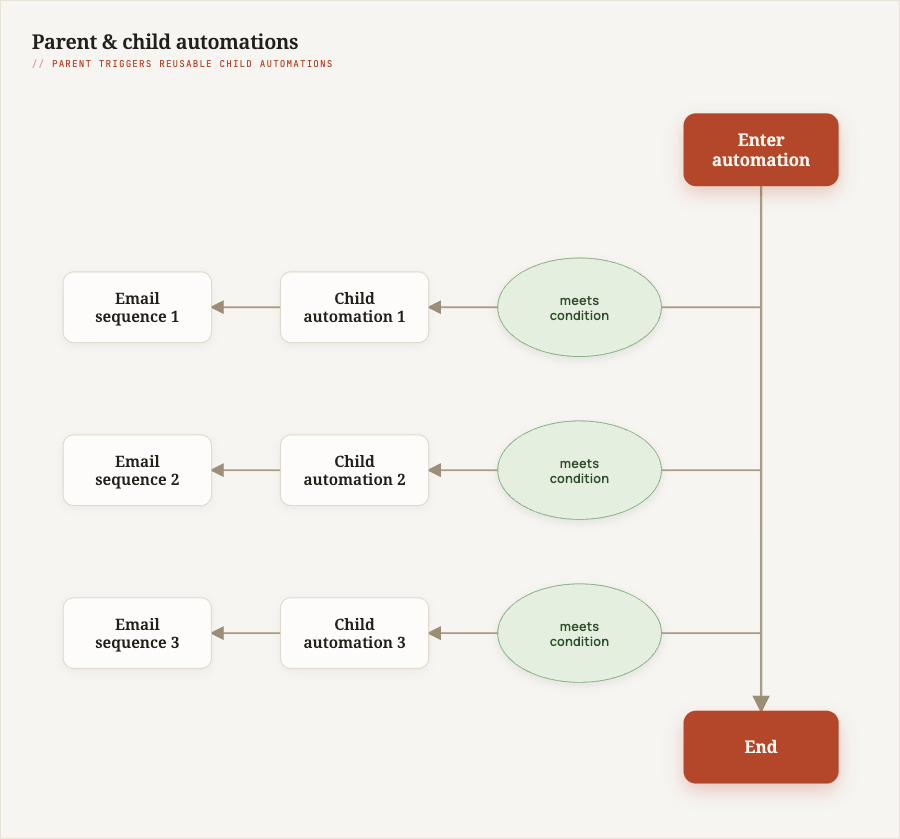
Note: if you are doing this in ActiveCampaign, the mechanism to add people to the child automation is “Enter Automation”.
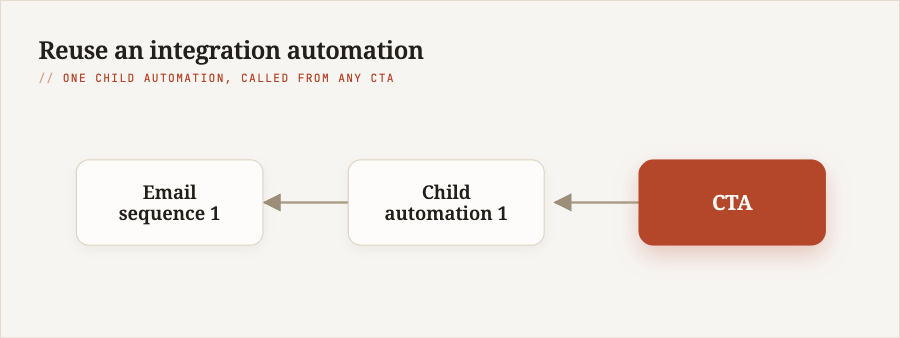
The advantage is that it is more modular, which means I can reuse those automations in different ways. I could have a call to action just for integration that is linked from a blog post about integration, and pass people into those emails without having to go through the full assessment. By breaking it into different automations, I can create another automation that moves them from a form call to action on that article directly into the integration emails.
Why modular wins for maintenance
When I first thought this through, I said both options were potentially easy to maintain. I want to correct that. Option 2 is the easy one to maintain, because it is more modular. You can find exactly the bit you are looking for, and it is easier to judge smaller automations than one massive one.
There is a downside. You lose a single view of the journey. Rather than everyone who has done the assessment going through one automation as the entire journey, where you can trace where the contact is, now you may need to go into a second automation, and potentially a third and a fourth, depending on which criteria they meet. That makes it harder to trace a contact if you need to find where they are in the journey.
In my case, I am going with option 2. I will keep it modular because I think it makes it more flexible. It will allow me to reuse those email sequences in a different context, and I will just have to live with the disadvantage of it being harder to trace a contact. But I do think it will be easier to maintain and that’s better for me right now.
If you’re trying to set this up on your own ActiveCampaign or Kit account, I can help as a ActiveCampaign consultant or Kit consultant.